In today’s fast-paced academic landscape, breakthrough discoveries rarely happen in isolation. Whether you are aiming to solve complex interdisciplinary problems, secure international funding, or accelerate your publishing timeline, collaboration is the bridge to high-impact science.Researchmate.net was created with a clear mission: Bridging for quality research. Bringing together a thriving community of over 12,000 researchers across 63 countries working on more than 4,800 active projects, Researchmate helps scholars find ideal co-authors, share expertise, and advance global knowledge together.
However, finding the right co-author or securing invitations to multidisciplinary grants starts with one critical foundation: your academic profile. Your profile on Researchmate.net acts as your digital academic handshake. It communicates your expertise, research trajectory, and availability to potential collaborators around the globe.
Here is the first step on how to build a compelling, professional, and search-optimized researcher profile on Researchmate.net.
Getting Started: Accessing the Platform
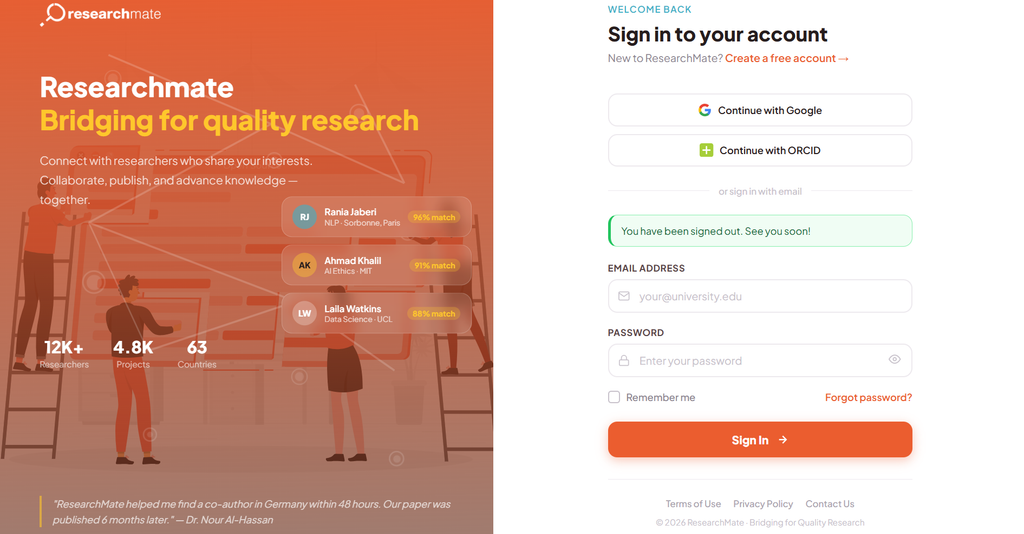
Signing up for Researchmate.net is designed to be seamless for academics worldwide. You can sign in or create a free account using your existing Google account, your official university or institutional email, or directly via ORCID—the global standard for academic identification.
You can opt to sign up using an email address or much easier, using the existing google or ORCID profile.
Using ORCID or your institutional email not only saves time during setup but also builds immediate credibility with potential collaborators who browse the network.
Stage 1: Setting Up the Basics
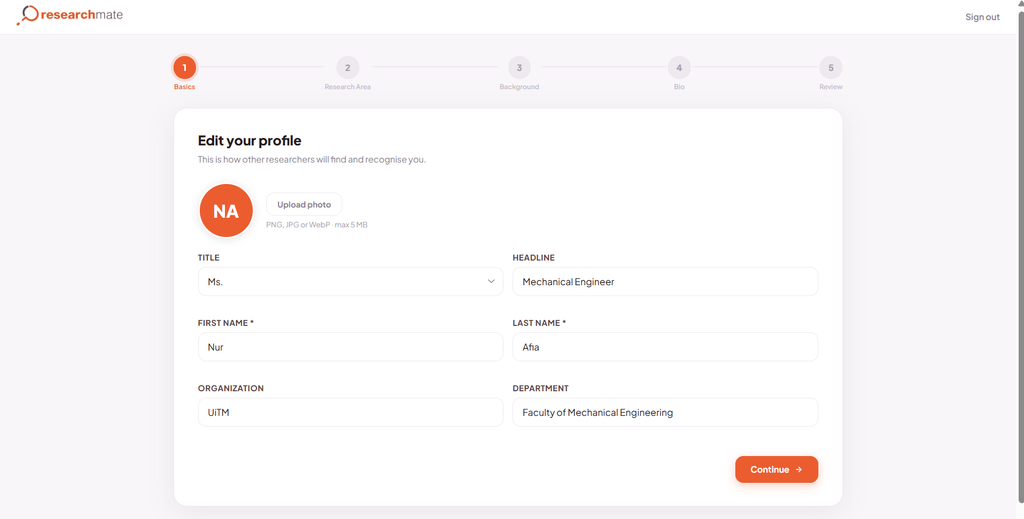
Once you log in, ResearchMate guides you through a streamlined, 5-step onboarding wizard. The first step focuses on establishing your identity and professional affiliation.
Upon signing in, users are directed to an interface where they can add a compelling headline to attract the interest of potential collaborators.
Profile Photo: Upload a clear, professional headshot (PNG, JPG, or WebP up to 5 MB). Profiles with professional photos receive significantly higher engagement and match rates from prospective collaborators.
Title & Full Name: Enter your title (e.g., Dr., Prof., Ms., Mr.) alongside your first and last name as they typically appear on published papers.
Professional Headline: Summarize your core expertise in a concise, impactful phrase (e.g., Mechanical Engineer, AI Ethics Researcher, or Data Scientist). Since this headline appears immediately next to your name in co-author search matches, a highly specific and compelling title acts as a powerful hook to instantly grab attention, clearly communicate your value, and drastically increase your chances of attracting relevant collaboration requests from local and global peers.
Institutional Affiliation: Input your current Organization (e.g., UiTM, Sorbonne, MIT) and your Department (e.g., Faculty of Mechanical Engineering). Clear institutional details build trust and assist researchers looking for institutional cross-collaborations.
Stage 2: Defining Your Research Focus
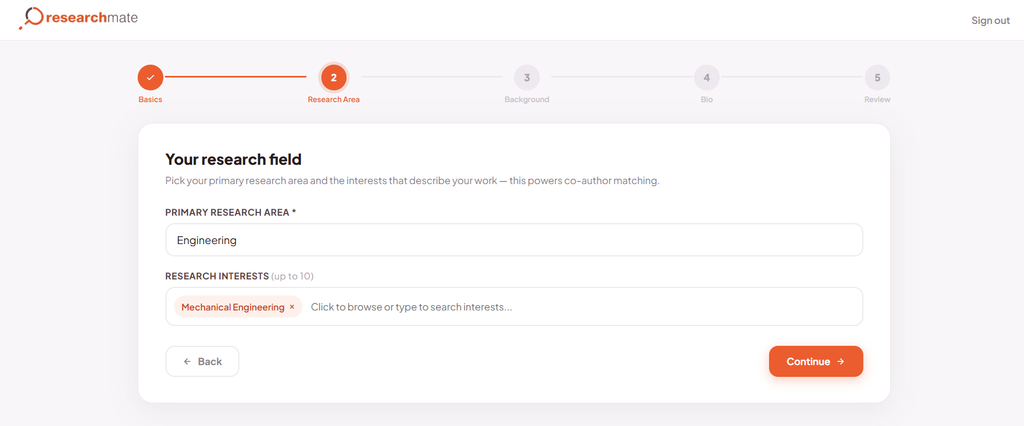
The core engine of Researchmate.net relies on accurate field tagging to power its automated co-author matching algorithm. Stage 2 ensures your profile reaches researchers seeking your exact domain expertise.
In this step, you can select up to 10 targeted research interests, which helps the platform’s algorithm match you with the most relevant collaborators.
Primary Research Area: Select your overarching field from the primary domain menu (e.g., Engineering, Computer Science, Medicine).
Granular Research Interests: Add up to 10 specific keywords or subfields that reflect your current research topics (e.g., Mechanical Engineering, Automotive, or Electrical Engineering).
The more precise your interest tags are, the better the platform’s algorithm can pair you with peers who complement your skills.
Stage 3: Highlighting Your Academic Background
Collaborators often look for partners with specific levels of experience or language capabilities to facilitate joint grant writing and paper drafting.
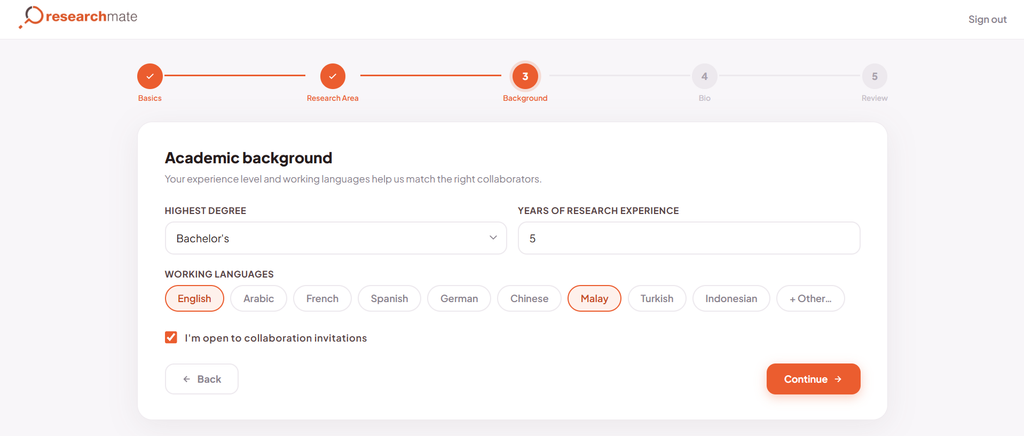
Setup screen for ‘Academic background’, where users input their degree, experience level, and languages to find the right collaborators.
Highest Degree & Experience: State your highest completed academic qualification (e.g., Bachelor’s, Master’s, PhD) and specify your total Years of Research Experience. Whether you are an early-career researcher with 2 years of experience or a veteran scholar with decades in the field, transparency helps set clear expectations.
Working Languages: Select the primary languages in which you can review, write, and communicate (e.g., English, Malay, Arabic, French, German, Chinese). Multilingual capabilities are a major asset for international cross-border research teams.’
Collaboration Toggle: Ensure you check the box marked “I’m open to collaboration invitations.” Toggling this on signals to the global community that you are actively seeking joint projects and co-authorship opportunities.
Stage 4: Crafting Your Bio & Linking External Profiles
Your bio is where you tell your unique research story. Researchmate.net makes this step effortless while ensuring your entire academic footprint is connected.
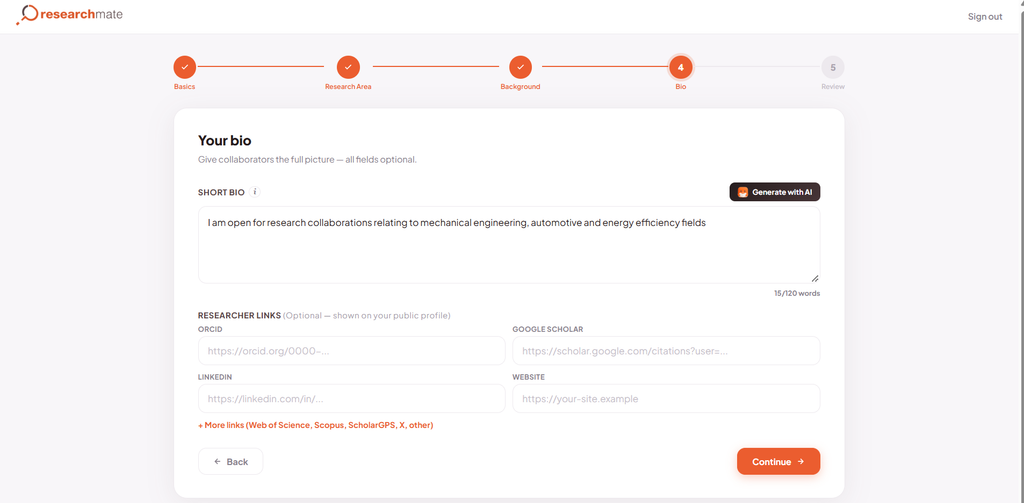
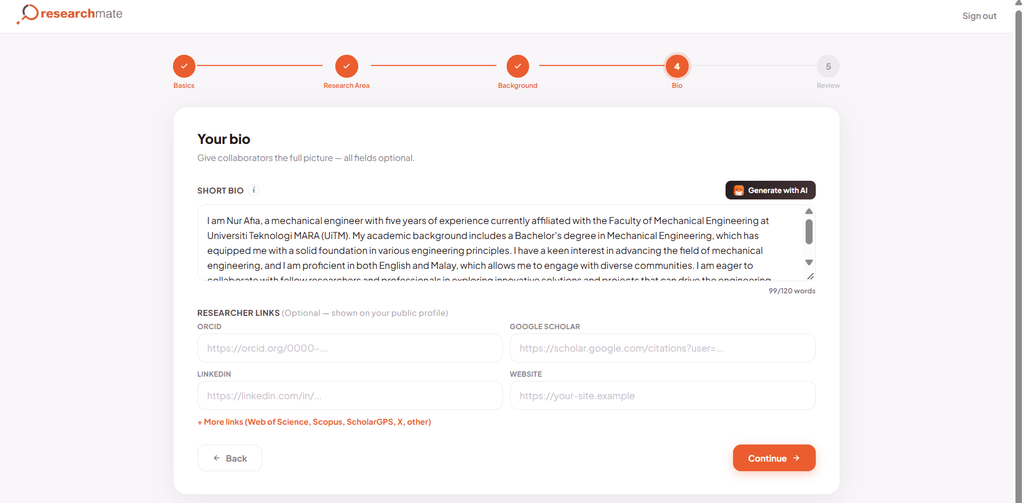
Utilizing the AI Bio Generator: If you are unsure how to summarize your achievements, click the “Generate with AI” feature built right into the text area. Based on the details entered in previous steps, the AI generator drafts a professional bio tailored to highlight your qualifications, institutional background, and research aspirations in a split second. You can use this draft as-is or refine it to reflect your personal voice.
Before using AI Bio Generator, where users input the short bio manually.After using AI Bio Generator, which instantly produces a highly professional short bio that users can then refine and customize to their liking.
Integrating External Academic Profile: A complete profile provides full visibility into your publication record. Take advantage of the Researcher Links fields to connect your external academic profiles:
ORCID ID
Google Scholar Profile
LinkedIn Professional Page
Personal/Lab Website
Additional Bibliometric Identifiers: Web of Science, Scopus, ScholarGPS, X (Twitter), and research repositories.
Linking these profiles allows prospective partners to review your citation history, h-index, and publication record with a single click.
Stage 5: Review, Finish, and Launch
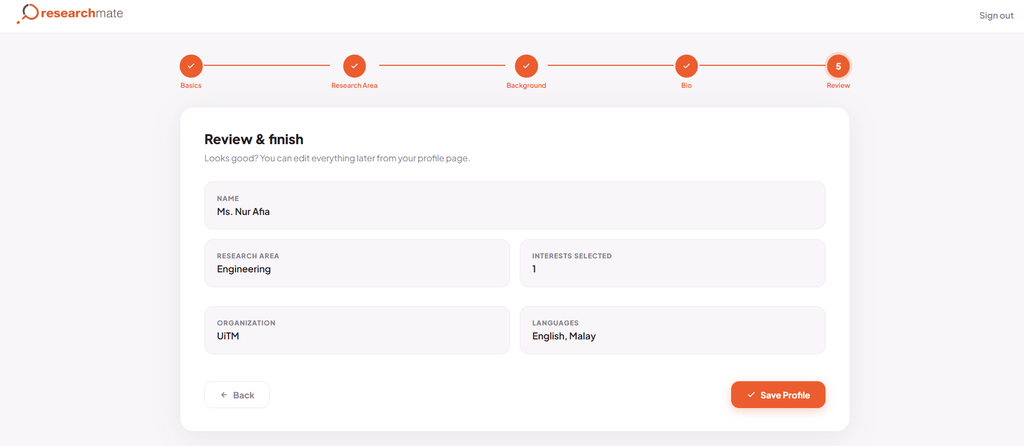
Before publishing your profile, Step 5 presents a clean summary card showcasing your name, primary research area, number of selected interests, organization, and languages. Take a moment to verify that all information is accurate, then click “Save Profile”.
Review your information for accuracy, then simply click ‘Save Profile’ to complete the setup.
Welcome to Your Researchmate Dashboard!
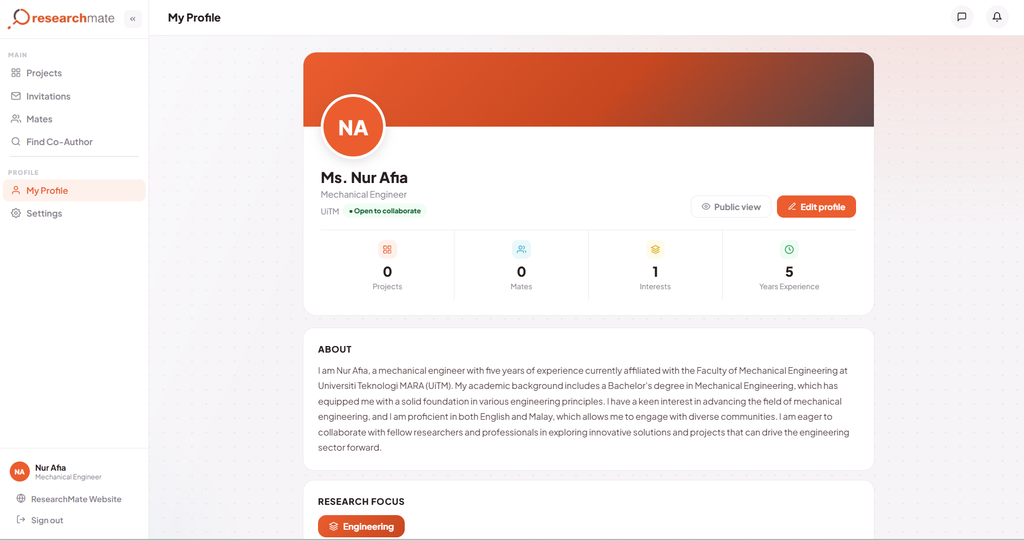
Once saved, your profile goes live instantly. Navigating to “My Profile” gives you a complete overview of your academic identity on ResearchMate:
This is how the Researchmate.net’s My Profile dashboard looks like.
Quick Metrics: Track your active Projects, connected Mates, tagged Interests, and cumulative Years of Experience.
Public View Toggle: Click Public View at any time to see exactly how your profile appears to other international researchers.
Platform Features: From the left navigation menu, you can immediately dive into core platform features:
Find Co-Author: Search for scholars using filtered criteria like research field, country, and interest compatibility score.
Projects: Post your own research proposal looking for co-authors or join existing open calls.
Mates & Invitations: Manage your academic network, review collaboration requests, and build cross-institutional relationships.
Final Thoughts: Take the First Step Today
Building a complete, compelling profile on Researchmate.net takes less than 5 minutes, but it is an essential step in your academic personal branding that opens the door to global academic partnerships and can transform your research career. From finding a co-author in 48 hours to publishing in high-impact journals, it all starts with a single step.

2 Comments